

•
Technical Notes:
Texture files work with all versions of Elements, Photoshop, and GIMP (a free
editing program, click here to check it out).
This product is not compatible with Lightroom.
•
The PDF tutorial included with the textures only specifically addresses Photoshop
users.
•
For tutorials demonstrating Elements, GIMP and Photoshop, please see my Video
Tutorials section.
• Payment is required via Paypal or a credit card. Once your payment clears, you will receive an email with a link where you can download your textures. Due to the nature of this digital product, all sales are final.
• The files come compressed in .zip format and must be unzipped to work. There are many free unzip programs for both Mac & Windows that will allow you to expand the files once they've been downloaded.
Legal Information
By
purchasing or acquiring this product (contest winner, product tester, etc), you
must agree to abide by the terms of the End User License Agreement / Terms of
Use.
Here
are the simple rules for using my overlays and actions:
1)
These textures / actions are licensed to one user only for their personal
and/or professional use. I work hard to make them pretty inexpensive to
discourage "sharing". Each download comes with a unique watermark.
Please be respectful and do not share with others. Should your unique watermark
appear on a piracy site, I reserve the right to seek financial damages for any
/ all illegal downloads.
2)
These textures may not be re-sold, re-purposed, re-used, or redistributed in
any way whatsoever without expressed written permission of Jessica Drossin. You
may not use my textures to make "new" textures, actions, or overlays,
should you do this, I will seek damages. It also a violation of my copyright
and this license to use my textures, overlays, actions, etc., in anyway to
re-create items such as textures, frames, vignettes, or brushes for
redistribution or resale. Any repurposing or redistribution is illegal and is
subject to prosecution.
3)
You must use these textures integrated with your own artwork and photography --
ie. do not post them as they currently appear to Flickr, etc., unintegrated
with your art as this would make them easy to steal. You may use these textures
in client work, but may not post or redistribute them "as is" on your
blog, in your mentoring class, etc.


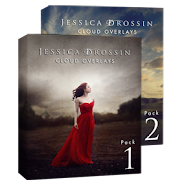
.%20Many%20clouds%20include%20additional%20vertical%20space%20added%20to%20the%20bottom%20for%20easy%20cloud%20incorporation%20and%20additional%20placement%20choices%20when%20editing.%20BONUS%3A%2023%20Actions%20to%20help%20you%20enhance%2C%20integrate%20and%20customize%20your%20clouds%20to%20best%20fit%20the%20mood%20of%20your%20photo%20and%204%20Transparent%20PNG%20files%20of%20birds%20for%20placement.%20%20 "Pin It")

.%20Many%20clouds%20include%20additional%20vertical%20space%20added%20to%20the%20bottom%20for%20easy%20cloud%20incorporation%20and%20additional%20placement%20choices%20when%20editing.%20BONUS%3A%2023%20Actions%20to%20help%20you%20enhance%2C%20integrate%20and%20customize%20your%20clouds%20to%20best%20fit%20the%20mood%20of%20y... "Pin It")
.%20Many%20clouds%20include%20additional%20vertical%20space%20added%20to%20the%20bottom%20for%20easy%20cloud%20incorporation%20and%20additional%20placement%20choices%20when%20editing.%20BONUS%3A%2023%20Actions%20to%20help%20you%20enhance%2C%20integrate%20and%20customize%20your%20clouds%20to%20best%20fit%20the%20mood%20of%20your%20photo%20and%204%20Transparent%20PNG%20files%20of%20birds%20for%20placement.%20%20 "Pin It")


 "Pin It")

 "Pin It")

 "Pin It")

 "Pin It")


I'm having a really difficult time picking a pack to start with! I've used textures in a very limited way in the past, but want to start using them more. It seems to me that more than anything else, a well-used texture can impart a film-like feeling to an image. (I don't mean reproducing the look of film, but more the evocation of a feeling.)
ReplyDeleteUnfortunately, there don't seem to be any larger images at all using textures from this Super Grunge Vintage pack, nor anything that shows the effects of the edge vignettes, frames and brushes included as bonus items.
I'd really love to see the some larger samples where the actual texture of these can be seen, so I could get an idea of the general character of these textures.
There is a relatively large slideshow of the different textures on the home page of this blog.
ReplyDeleteI'll try to get more examples up soon. Sadly I'm a one woman show but I'll try to do this very soon. There is one screen show on the home page :)
ReplyDeleteElora's Mommy, thanks!
ReplyDeleteAnd Jessica, I certainly understand that "one person" thing!:)
I did find the texture samples for Pack 2 when I purchased it a few days ago, and they've been really helpful. One reason I haven't used textures much before is that so much of what I've seen from others allows the texture to just take over the image, and while it can be effective to some extent, it's pretty much simple decoration--texture for texture's sake--rather than really enhancing the message of the image. I've sometimes spent considerable time playing with a texture only to finally decide I like the image better without it--it looked ok, but it really didn't add anything.
But I very much like the way you're using them, Jessica--especially with the wide apertures and resulting indistinct backgrounds. What you're doing allows them to integrate with the image very well. You've shown me a better way to approach the use of textures, one that fits much better with my philosophy of image retouching/enhancement. I just need to work with that approach now to find my own style of using them. So, thanks!
I'm curious to the dpi, I saw that your Illumination pack is 40x60 inches at 72 dpi. How does it print at 240 dpi & 300 dpi? I absolutely love these and want to purchase some, but I am just curious if the quality can be represented equally in prints.
ReplyDeleteI can tell you established82 that the textures are 10x15 @300. The way I estimate these things quickly in my head is that 72dpi is just about 1/4 the rez of 300dpi, so when you see something specified @72dpi, just divide the quoted measurement by 4 to get a close approximation. For 240dpi, 72dpi is relatively close to 1/3 the rez of 240, so divide the quoted size by 3 (40x60 becomes 13x20"). These aren't precise, of course, but it's a quick & dirty way to do a decent guesstimate in your head.
ReplyDeleteI've also found that OnOne Software's Perfect Resize does a very good job of up-sizing some image files. In my (limited) experience with the program, it does smear really fine details like eyelashes, etc, on faces that take up a small percentage of the overall image, but for something like a texture screen that's going to be indistinct at best in the final image, and probably doesn't come near having detail that fine, it would probably do a very good job in most, if not all, cases.
I've printed canvases at 40 x 60 inches with the textures looking perfect.
ReplyDeleteThe size of the textures is equal to the size of a non-full frame DSLR camera, such as my Rebel XTI